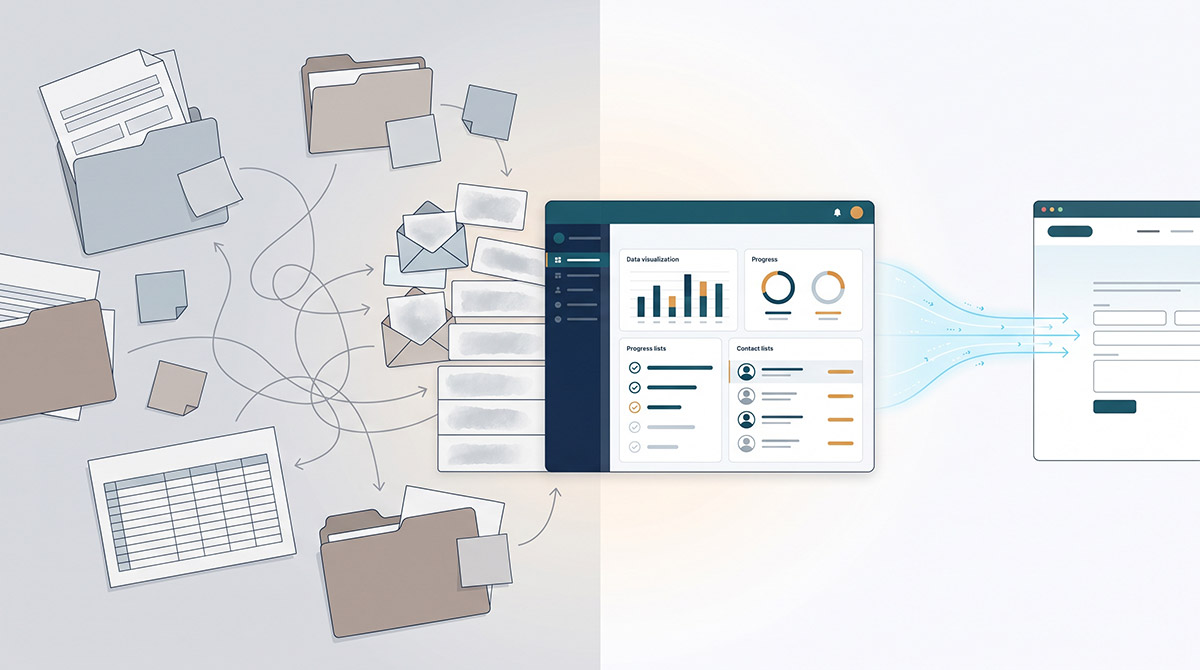


Most CRM integration projects do not fail because of the API. They fail because the business treats integration as a technical add-on instead of an operating model decision. A proper crm integration project guide starts with one hard question: what should move between systems, when, and who is accountable when it breaks?
That question matters because a CRM rarely sits in isolation. It usually touches your website, marketing automation, ecommerce platform, customer service tools, finance systems, reporting stack and, in some cases, internal apps. If those connections are poorly defined, you do not just get bad data. You get missed leads, duplicated records, reporting disputes and teams building manual workarounds that quietly become business critical.
What a CRM integration project guide should actually cover
A useful CRM integration project guide is not a checklist of plugins and middleware. It is a framework for reducing risk while improving data quality, workflow efficiency and visibility. For organisations with growing digital complexity, the project needs to cover business rules, system architecture, ownership, governance and post-launch monitoring as carefully as it covers technical delivery.
This is where many projects drift off course. One team focuses on forms and lead capture. Another focuses on syncing contacts. A third wants reporting. All of them are reasonable goals, but if they are not tied to a common data model and agreed process logic, the result is patchwork. That usually means more maintenance, more exceptions and less confidence in the CRM over time.
Start with process, not platforms
Before anyone maps fields or scopes integrations, document the customer and operational journeys that matter. For most organisations, that includes lead capture, qualification, sales handover, service delivery, support and reporting. If ecommerce is involved, it may also include product, order and customer account data.
At this stage, the goal is not to produce a perfect process diagram. It is to identify how information should move through the business and where the current friction sits. You are looking for practical questions. When a lead comes through the website, what determines whether it enters the CRM, marketing automation, both or neither? If a contact updates their details in one place, which system is the source of truth? If sales modifies an opportunity stage, what downstream actions should follow?
These decisions shape the integration more than the software does. A platform can only enforce the logic you define.
Define the source of truth early
Every CRM integration project reaches the same point: two systems both hold similar data, but neither team wants to lose control. That is where governance matters.
For each critical object, such as contact, company, lead, opportunity, subscription or order, define the source of truth. In some cases, that will be the CRM. In others, it may be the website CMS, ERP or ecommerce platform. There is no universal rule. It depends on where the data is created, maintained and most reliably governed.
What matters is consistency. If contact records can be edited in four systems without any hierarchy, duplicates and conflicts are guaranteed. If ownership is explicit, integration logic becomes simpler and reporting becomes more credible.
Scope the integration around outcomes
A common mistake is trying to connect everything in phase one. That approach sounds efficient, but it often delays delivery and increases failure points. A better approach is to prioritise the data flows that create the clearest operational value.
For one business, that may be website enquiry routing and lifecycle tracking. For another, it may be syncing ecommerce customer data into the CRM for better retention activity. A government or enterprise organisation may need secure form submissions, case creation and controlled user permissions before anything else.
The point is to scope around outcomes, not system possibilities. Just because two platforms can exchange data does not mean they should. Every new sync introduces mapping rules, edge cases, testing overhead and support requirements. If the business benefit is marginal, the complexity is rarely justified.
Data quality will decide the result
Poor data quality can sink an otherwise well-designed integration. If your CRM already contains duplicate contacts, inconsistent field usage, outdated lifecycle stages or free-text values where structured data should exist, integration will spread those problems faster.
That is why data review should happen before build, not after launch. Assess the current state of the CRM and connected systems. Look for duplicate rates, missing mandatory fields, inconsistent naming conventions and unreliable historical data. Also review form inputs and import processes. Many data issues start upstream.
This is also the right time to rationalise fields. Over time, most CRM instances accumulate fields nobody owns and teams barely use. Carrying those into a new integration creates confusion. If a field does not support reporting, workflow logic or operational visibility, question whether it needs to exist.
Map business rules, not just fields
Field mapping is necessary, but on its own it is not enough. You also need to define the business rules that govern creation, updates, deduplication and exceptions.
For example, if a website form submits a record with an email address that already exists in the CRM, should the record update, create a new lead, append activity or trigger a review queue? If an order is refunded in an ecommerce platform, what should happen to the customer status in the CRM? If sales marks an opportunity as closed lost, should marketing automation suppress certain communications?
These are not edge questions. They are the project. The technical implementation simply reflects the operating rules the business agrees to.
Choose the right integration pattern
Not every CRM connection needs the same architecture. Some integrations work well with native connectors. Others need custom API work, middleware, scheduled syncs or event-based processing. The right choice depends on your systems, data volume, security requirements and tolerance for latency.
Native integrations can be cost-effective and faster to deploy, but they often come with rigid logic and limited visibility when something goes wrong. Custom integrations allow more control, but they require stronger documentation, testing and ongoing support. Middleware can help centralise logic across multiple systems, although it introduces another layer that needs governance.
This is one of those areas where it depends is the honest answer. If the business process is straightforward and low risk, a native connector may be sufficient. If you are managing multiple systems, custom workflows and compliance expectations, a more controlled architecture is usually the safer long-term decision.
Build governance into the project plan
A CRM integration is not finished when the data starts moving. It needs ownership, monitoring and change control. Without that, small adjustments in one platform can break automations, corrupt reporting or create silent failures that go unnoticed for weeks.
Governance should include clear responsibility for system administration, field changes, workflow updates and incident management. It should also include documentation that the business can actually use, not just technical notes for developers. Teams need to know what the integration does, what assumptions it relies on and what happens when exceptions occur.
This is where a senior delivery approach matters. At ID Digital Agency, integration work is treated as part of a connected digital ecosystem, not an isolated task. That means aligning website behaviour, CRM logic, operational workflows and reporting requirements before launch, so the business has more control after launch.
Testing should reflect real conditions
A test environment full of clean dummy data tells you very little. Real integration testing needs realistic scenarios, inconsistent inputs and failure cases. Test duplicate submissions, incomplete fields, conflicting updates, permission changes and unexpected user behaviour. Test what happens when one system is unavailable. Test notification logic and audit trails.
User acceptance testing is just as important. Sales, marketing, operations and service teams should validate whether the integration supports the way they actually work. If the logic looks right technically but creates friction operationally, the project is not ready.
Measure success beyond launch day
The best way to judge a CRM integration is not whether the connection goes live on schedule. It is whether the business becomes easier to run afterwards.
That means tracking practical measures such as reduced manual handling, faster lead response, lower duplicate rates, improved reporting confidence and fewer workflow errors. It may also include stronger conversion performance, better customer visibility or cleaner handover between teams.
Importantly, some benefits show up quickly and others take time. A project that improves data structure and governance may not transform revenue in the first month, but it can remove major constraints on marketing, sales and service performance over the next year. That longer view matters when you are making decisions about architecture and investment.
The smartest projects stay commercially grounded
A CRM integration project guide should help teams make better decisions, not just more technical ones. The right question is not how many systems can be connected. It is which connections reduce friction, improve control and support sustainable growth.
If you approach the project with that discipline, integration becomes more than a systems exercise. It becomes a way to remove duplication, tighten governance and give your teams a clearer picture of how the organisation is actually performing. Less patchwork. More performance.